
Support
We're here to help you get the most out of Picassa — quickly and directly inside the app.
All support options are available in the Picassa app under Profile → Support. Whether you need a how-to guide, want to reach our team, or have an idea for a new feature, everything is in one place.
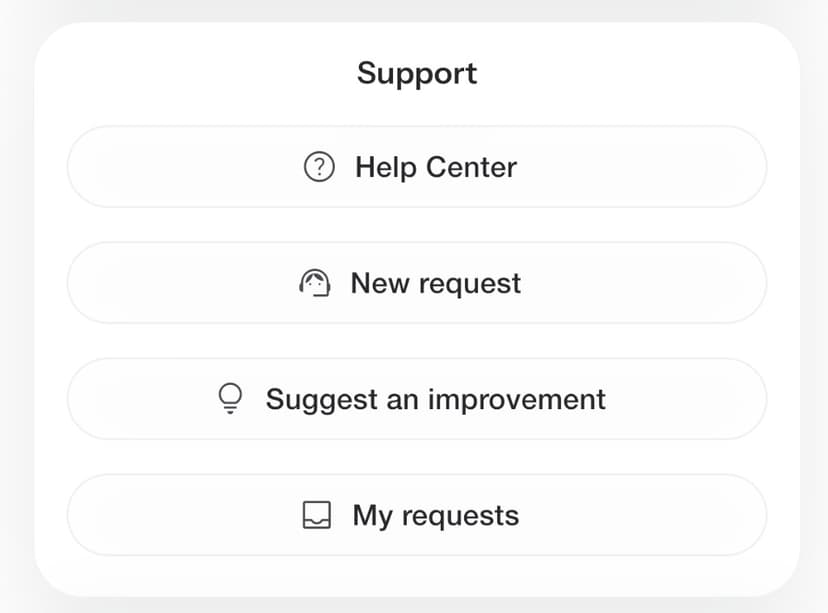
How to find support
- 1Open the Picassa app and sign in to your account
- 2Go to Profile in the bottom navigation
- 3Scroll to the Support section
What you can do
Help Center
Your in-app guide to Picassa. Step-by-step tutorials, answers to common questions, and tips for clients and professionals — so you can find what you need without waiting.
New request
Need help with your account, a booking, or something else? Send a message directly to our support team. We'll get back to you in the app and keep the conversation in one thread.
Suggest an improvement
Have an idea for a new feature or spotted something that could work better? Share your feedback here. We review every suggestion and use it to shape future updates and fixes.
My requests
A clear overview of everything you've submitted — support tickets and improvement suggestions. Check status, read replies, and follow up without losing track.
Ready to get started?
Open the Picassa app, go to Profile → Support, and choose the option that fits your needs.
Open Picassa app